Cursor
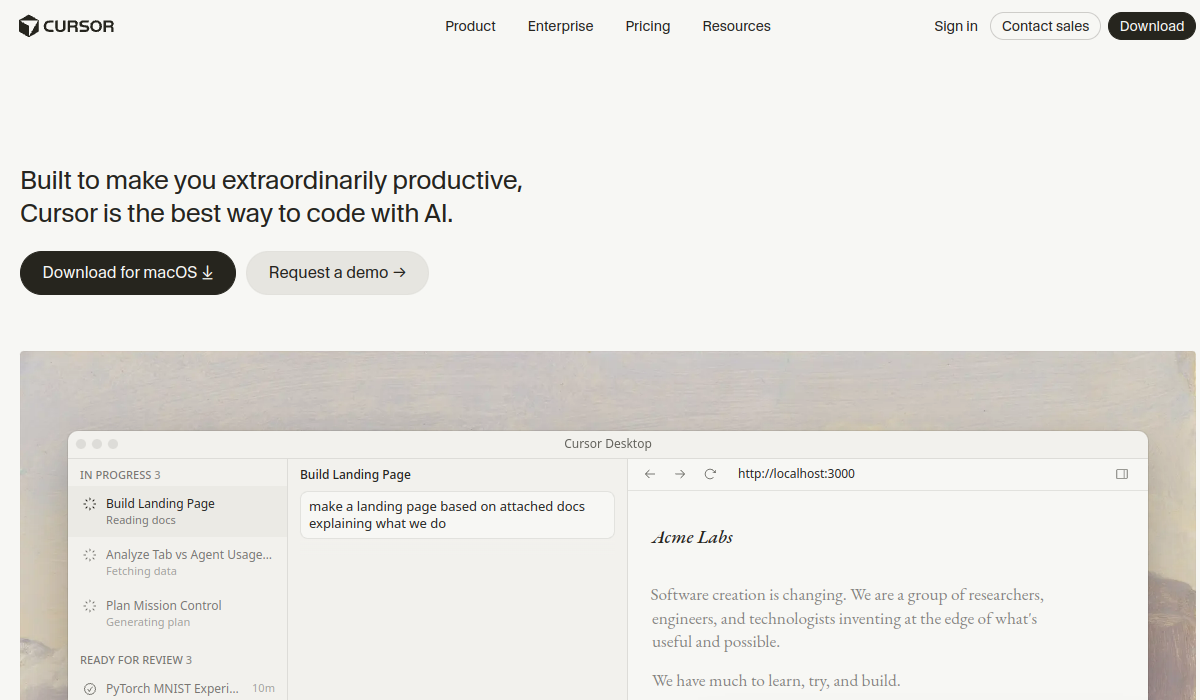
Cursor leverages AI to streamline software development, enhancing productivity for developers.
🚀 Why Use Cursor?
Rating
Quick facts
Category
Code Assistant
Pricing
Freemium
API
Not listed
Best for
Why teams use Cursor for Code Assistant AI tools
Cursor is an innovative code assistant designed to enhance the productivity of developers through the power of artificial intelligence. By providing intelligent code suggestions, auto-completions, and real-time debugging assistance, it integrates seamlessly into the workflows of programmers. Whether you're a seasoned software engineer or a novice coder, Cursor aims to streamline the coding process, allowing users to focus more on problem-solving and less on repetitive tasks. One of the standout features of Cursor is its ability to learn from your coding habits, tailoring its suggestions to fit your unique style and preferences. This personalized experience not only speeds up the development process but also helps in reducing errors, making coding more efficient and enjoyable. In terms of functionality, Cursor supports a wide array of programming languages and frameworks, making it versatile for various software projects. The tool is particularly beneficial for collaborative environments, as it enhances communication between team members by providing consistent code quality and adherence to best practices. Pricing for Cursor is competitive, offering a free tier with limited features as well as various subscription plans that unlock its full capabilities. This flexibility makes it accessible for individual developers, startups, and larger organizations alike. In terms of strengths, Cursor excels in its user-friendly interface and the quality of its AI suggestions, which often surpass those of traditional code editors. However, some limitations exist, such as occasional inaccuracies in complex code scenarios and a learning curve for new users unfamiliar with AI-driven tools. Overall, Cursor stands out in the crowded market of code assistants due to its commitment to enhancing developer productivity through intelligent, personalized assistance.
AI Generated Summary
TL;DR
Best For
Accelerating code development for software projects, Improving code quality through AI suggestions, Assisting in debugging and error resolution
Pricing
Freemium
Main Strength
Highly accurate AI code suggestions
Powerful capabilities
✨ Key Features
AI-powered code suggestions and auto-completions
Cursor leverages advanced AI algorithms to provide context-aware code suggestions and auto-completions that adapt to the coding style and project requirements of the user.
Real-time debugging assistance
With real-time debugging assistance, Cursor identifies potential issues in the code as they arise, offering targeted solutions and corrections to streamline the troubleshooting process.
Supports multiple programming languages
Supporting a wide array of programming languages, Cursor ensures that developers can seamlessly switch between languages while still receiving tailored assistance and recommendations.
Integrates with popular IDEs
The integration of Cursor with popular IDEs allows developers to access its powerful features without disrupting their established workflows, enhancing the coding experience directly within their preferred environments.
Personalized learning algorithm based on user habits
Cursor employs a personalized learning algorithm that analyzes user behavior, allowing it to deliver customized recommendations and suggestions that evolve as the user's skills develop.
Real world usage
🚀 Popular Use Cases
Accelerating code development for software projects
By utilizing Cursor, developers can significantly accelerate their coding processes, as the AI-driven suggestions speed up the completion of tasks and reduce time spent on repetitive coding patterns.
Improving code quality through AI suggestions
Through real-time feedback and intelligent suggestions, Cursor enhances code quality by guiding developers to adopt best practices and avoid common pitfalls in their programming.
Assisting in debugging and error resolution
In scenarios where debugging is essential, Cursor aids developers by pinpointing errors and offering immediate fixes, transforming the often tedious debugging phase into a more efficient and manageable task.
Facilitating collaboration among development teams
Cursor fosters collaboration among development teams by providing a shared platform where team members can utilize its AI capabilities collectively, ensuring consistent quality and enhancing communication throughout the coding process.
Advantages
Pros
Limitations
Cons
Common questions
❓ Frequently Asked Questions
What is Cursor?
Cursor is an AI-powered code assistant designed to enhance developer productivity by providing intelligent code suggestions and debugging support.
Is Cursor free?
Cursor offers a free tier with basic features, along with several subscription plans that unlock advanced capabilities for developers.
Who should use Cursor?
Cursor is ideal for developers of all skill levels, from beginners looking for assistance to experienced programmers seeking to enhance their coding efficiency.
What makes Cursor unique?
Cursor's personalized AI suggestions based on individual coding habits set it apart from other code assistants, making it a tailored experience for users.
Does Cursor have an API?
Yes, Cursor provides an API that allows developers to integrate its capabilities into their own applications, enhancing versatility.
Final thoughts
🏆 Cursor Verdict
Cursor is a powerful tool for developers seeking to enhance their coding efficiency through AI-driven assistance. Its personalized features make it suitable for both novice and experienced programmers looking to streamline their workflows.
Similar AI Tools
Alternatives to Cursor
Blackbox AI
Blackbox AI helps developers code faster with AI-generated solutions, multi-agent coding, and an integrated IDE.
Browse AI
Browse AI simplifies web data extraction, monitoring, and API creation in a user-friendly interface.
Framer
Framer is a powerful website builder that enables users to create responsive and visually appealing websites without needing extensive coding knowledge. It's designed for designers, developers, and businesses looking to establish an online presence quickly and efficiently. Key strengths include a user-friendly interface, customizable templates, and robust design capabilities.
Kilo Code
Kilo Code is an AI-powered assistant that accelerates coding, debugging, and code optimization for developers.
Lovable
Lovable is a no-code platform that empowers users to build applications, websites, and digital products quickly and efficiently.
Phind
Phind is an AI-driven coding assistant that helps developers find solutions and improve their coding efficiency.
Sangam Community
Didn't find what you need?
Post your problem to Sangam — builders in Code Assistant respond with tools, workflows, and hands-on help.
Listing Ownership
Own this tool?
If you manage Cursor, send a simple claim request and we'll review it manually.
⚔️ AI Battle Arena
Compare Cursor Head-to-Head
📰 Related Articles