Framer
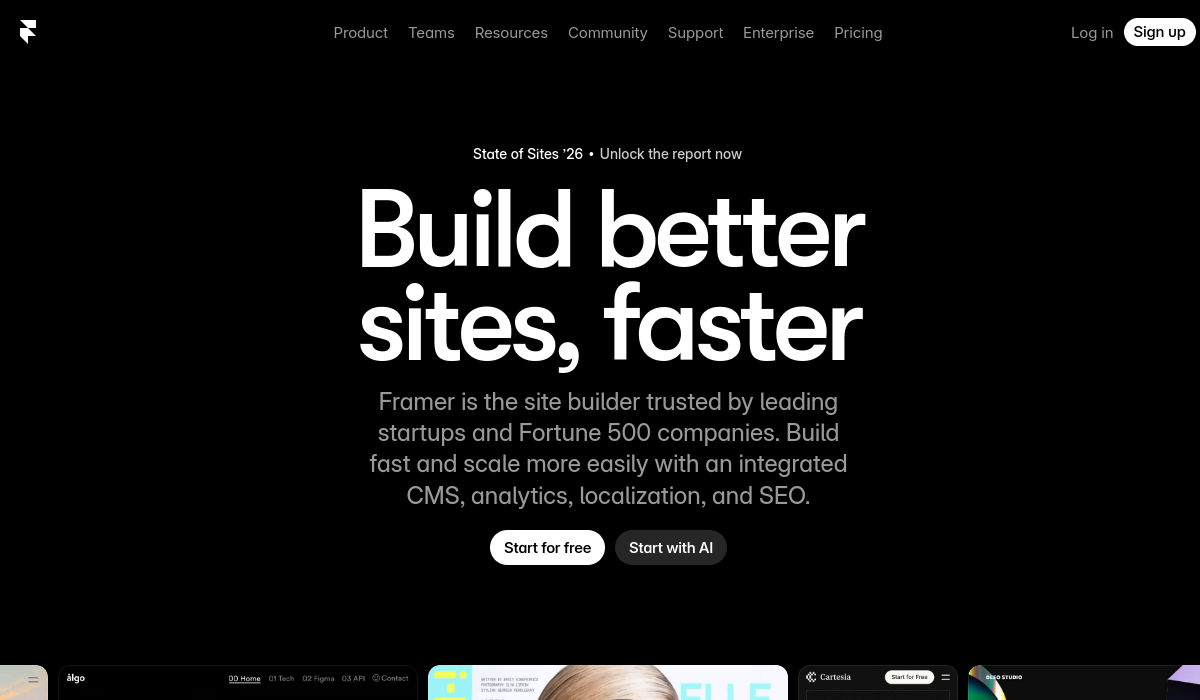
Framer is a powerful website builder that enables users to create responsive and visually appealing websites without needing extensive coding knowledge. It's designed for designers, developers, and businesses looking to establish an online presence quickly and efficiently. Key strengths include a user-friendly interface, customizable templates, and robust design capabilities.
🚀 Why Use Framer?
Rating
Quick facts
Category
Website Builder
Pricing
Freemium
Access
Web
API
Not listed
Best for
Why teams use Framer for Website Builder AI tools
Framer AI is a cutting-edge website building tool that combines intuitive design with powerful AI capabilities, allowing users to create visually compelling websites without the need for coding skills. With its no-code interface, Framer AI caters to designers, marketers, and teams looking to streamline their web development process while maintaining total creative control. The platform incorporates intelligent design suggestions that adapt to user preferences, making it easy for anyone to bring their vision to life. One of the standout features of Framer AI is its ability to generate responsive layouts automatically, ensuring that websites look stunning on any device. This is particularly beneficial for users who may not have extensive design experience but want to create professional-grade sites quickly. Additionally, Framer AI offers collaborative tools that allow multiple users to work on a project simultaneously, enhancing teamwork and efficiency. The platform also includes integrated CMS features, enabling users to manage content seamlessly and optimize their sites for search engines effortlessly. Pricing for Framer AI is competitive, with a free tier available that offers essential features for individuals and small projects, while premium plans provide advanced functionalities for larger teams or businesses. Despite its many advantages, users may find that the learning curve can be steep for those entirely new to web design. However, once familiarized, the versatility of Framer AI can lead to truly unique website designs. Overall, Framer AI stands out in the crowded website builder market due to its advanced AI tools, real-time collaboration features, and commitment to empowering users to create custom, high-quality websites without the need for coding knowledge.
AI Generated Summary
TL;DR
Best For
Agency Portfolio Sites, E-commerce Storefronts, Interactive Landing Pages
Pricing
Freemium
Main Strength
User-friendly drag-and-drop functionality
Powerful capabilities
✨ Key Features
Drag-and-Drop Interface
Framer's drag-and-drop interface allows users to effortlessly design layouts, making website creation accessible for those without coding experience.
Customizable Components
Utilize a wide range of customizable components to ensure your website aligns perfectly with your brand identity and design preferences.
Real-Time Collaboration
Real-time collaboration features let teams work together seamlessly, providing instant feedback and edits, which accelerates the design process.
Responsive Design Tools
Responsive design tools ensure your website looks great on any device, automatically adjusting layouts for phones, tablets, and desktops.
Code Integration
For those who want more control, Framer supports code integration, allowing developers to extend functionality and create unique features.
Interactive Prototyping
Interactive prototyping enables designers to create dynamic experiences, showcasing user interactions and animations before going live.
Publishing and Hosting
Framer offers easy publishing and hosting options, allowing users to launch their websites directly from the platform with minimal setup.
AI-powered design suggestions for enhanced creativity
Framer AI leverages advanced algorithms to provide tailored design suggestions, inspiring users with creative ideas that align with their project goals.
Responsive layout generation for all devices
By automatically generating responsive layouts, Framer AI ensures that designs look perfect across all devices, saving time on manual adjustments.
Real-time collaboration for seamless teamwork
Real-time collaboration features in Framer AI allow team members to brainstorm and iterate together, making it easy to share ideas and feedback instantly.
Integrated CMS for easy content management
The integrated CMS in Framer AI simplifies content management, enabling users to easily update and organize their website content without technical barriers.
Built-in SEO tools for better visibility
With built-in SEO tools, Framer AI guides users in optimizing their websites for search engines, enhancing visibility and attracting more visitors.
Real world usage
🚀 Popular Use Cases
Agency Portfolio Sites
Agencies can showcase their best work through visually stunning portfolio sites created easily with Framer's intuitive tools.
E-commerce Storefronts
Build engaging e-commerce storefronts that provide an enjoyable shopping experience, complete with custom product showcases and seamless checkout.
Interactive Landing Pages
Create interactive landing pages that captivate visitors, using animations and dynamic elements to convey your message effectively.
Personal Blogs
Personal blogs can be customized to reflect individual style, enabling writers to share their stories in a visually appealing format.
Event Promotion Websites
Promote events with dedicated websites that highlight schedules, speakers, and ticketing options, all easily managed through Framer.
Corporate Sites
Corporate sites can be built to represent your brand professionally, featuring key information and services in a clean, modern layout.
Educational Platforms
Educational platforms can utilize Framer to deliver engaging content, incorporating multimedia elements for enhanced learning experiences.
Designers creating visually stunning portfolios
Designers using Framer AI can craft visually stunning portfolios that showcase their work with dynamic layouts and creative elements.
Marketing teams launching promotional landing pages
Marketing teams can quickly launch promotional landing pages in Framer AI, utilizing its intuitive tools to create eye-catching designs that drive conversions.
Small businesses building their first website
Small businesses find Framer AI invaluable for building their first website, as it offers user-friendly features that simplify the entire design process.
Agencies collaborating on client projects
Agencies benefit from Framer AI's collaborative capabilities, allowing multiple team members to work synchronously on client projects, ensuring alignment and efficiency.
Advantages
Pros
Limitations
Cons
Common questions
❓ Frequently Asked Questions
What types of websites can I create with Framer?
Framer allows you to create a variety of websites, including portfolios, e-commerce stores, blogs, and corporate sites. Its flexibility and range of templates cater to different needs.
Is coding required to use Framer?
No, Framer's intuitive drag-and-drop interface enables users to design websites without coding. However, developers can enhance functionality by integrating custom code.
Can I collaborate with others on my Framer project?
Yes, Framer offers real-time collaboration features, allowing multiple users to work together on a project, making feedback and edits instantaneous.
How does Framer handle responsive design?
Framer provides powerful responsive design tools that automatically adjust your website's layout for different screen sizes, ensuring a cohesive experience across devices.
What hosting options does Framer provide?
Framer includes built-in hosting options, allowing users to publish their sites directly from the platform, streamlining the launch process without needing external services.
What is Framer AI?
Framer AI is an advanced website builder that utilizes AI technology to help users create visually appealing websites without needing coding skills.
Is Framer AI free?
Yes, Framer AI offers a free tier with essential features, while premium plans provide additional capabilities for more complex projects.
Who should use Framer AI?
Framer AI is ideal for designers, marketers, and businesses looking for an intuitive way to build websites quickly while maintaining design flexibility.
What makes Framer AI unique?
Framer AI stands out due to its integration of AI-driven design tools that enhance creativity and streamline web development processes.
Does Framer AI have an API?
As of now, Framer AI does not offer a public API, focusing instead on providing a seamless user experience through its platform.
Final thoughts
🏆 Framer Verdict
Framer stands out as a leading website builder, combining ease of use with powerful design capabilities. Its unique features cater to designers and teams, facilitating collaboration and innovative web design. While it has some limitations, such as a learning curve for advanced functionalities, Framer remains an excellent choice for anyone looking to create stunning, responsive websites quickly and effectively.
Similar AI Tools
Alternatives to Framer
Blackbox AI
Blackbox AI helps developers code faster with AI-generated solutions, multi-agent coding, and an integrated IDE.
Bolt.new
Bolt.new enables users to build websites and apps using simple text prompts, making development accessible for everyone.
Browse AI
Browse AI simplifies web data extraction, monitoring, and API creation in a user-friendly interface.
Claude
Claude streamlines content creation, analysis, and debugging, enhancing productivity.
Durable
Durable simplifies website creation with AI, SEO, and customer management tools, all in one app.
Lovable
Lovable is a no-code platform that empowers users to build applications, websites, and digital products quickly and efficiently.
Sangam Community
Didn't find what you need?
Post your problem to Sangam — builders in Website Builder respond with tools, workflows, and hands-on help.
Listing Ownership
Own this tool?
If you manage Framer, send a simple claim request and we'll review it manually.
Found in these collections